


Bambu Lab A1 vs A1 Mini: Is the Bigger Build Plate Worth It?

Owen Hartley
November 19, 2026
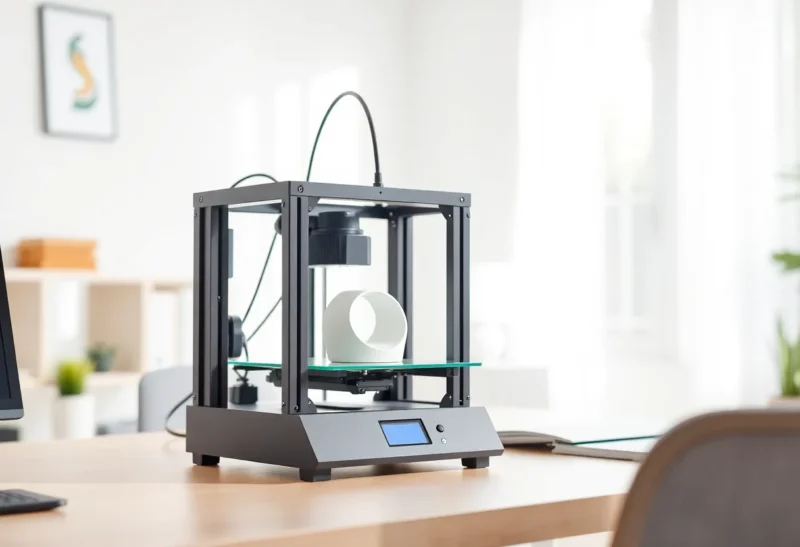
You have narrowed your first or second printer down to Bambu Lab’s A-series and now face the obvious question: pay more for the A1, or save money and desk space with the A1 Mini? The two machines share almost everything that affects print quality, so the decision comes down to size: the size of the parts you want to print, the size of your desk and the size of your budget. This comparison works through the questions that actually separate them, with figures from Bambu Lab’s official spec pages and US store as of November 2026.
How Much Bigger Is the A1’s Build Volume, Really?
Bambu Lab lists the A1 at 256 × 256 × 256 mm and the A1 Mini at 180 × 180 × 180 mm. Those numbers look close, but the difference compounds:
- Bed area: 256 × 256 mm is about 65,500 mm², roughly twice the Mini’s 32,400 mm².
- Volume: the A1’s cube is about 2.9 times larger than the Mini’s.
- Longest flat part: laid diagonally, a thin part can in theory reach about 362 mm on the A1 and about 254 mm on the Mini. In practice the slicer’s printable area, brims and purge zones reduce that, so check in Bambu Studio before relying on a diagonal fit.
The extra area matters in two ways. It lets you print single parts the Mini cannot fit, and it lets you fill one plate with many small parts, which saves time when you are printing batches of clips, game pieces or gifts.
Which Projects Actually Need the Bigger Plate?
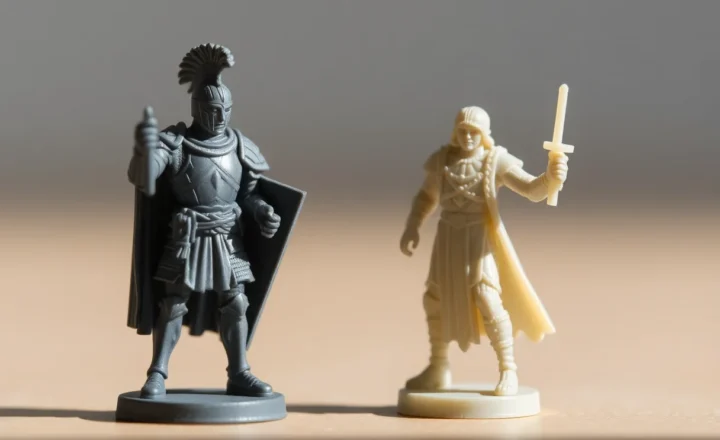
A lot of popular prints fit comfortably within 180 mm: figurines, phone stands, cable clips, replacement knobs, keychains and most household fixes. If that describes your list, the Mini is not a compromise. These are the kinds of projects where the 180 mm limit starts to hurt:
- Storage and organization. If you use the Gridfinity system, which is built on a 42 mm grid, a 4 × 4 baseplate (168 mm) is the largest square that fits the Mini, while the A1 fits a 6 × 6 baseplate (252 mm). A shoebox-style bin 240 mm long fits the A1 in one piece but would need splitting or diagonal placement on the Mini.
- Cosplay helmets and armor. A full-size adult helmet generally exceeds 180 mm in at least one direction, so on the Mini it has to be cut into many pieces and glued. The A1 reduces the number of pieces, but large helmet models are often still split. Bambu Lab markets its larger A2L (330 × 320 × 325 mm) specifically as able to print a full-scale helmet in one piece, which tells you where that threshold sits.
- Long parts. Prop swords, shelf brackets, drawer dividers and RC car bodies regularly run past 200 mm. The A1’s extra length avoids joints where parts tend to fail.
- Batch printing. Twice the bed area roughly doubles how many small parts you can fit on one plate, which means fewer plate changes.
Splitting a model is not a disaster. Bambu Studio and OrcaSlicer both have cut tools that add connectors, and plenty of large prints are designed in parts anyway. But every seam adds sanding, gluing and a weak point. If more than a handful of the models you want to print are over 180 mm, the A1 pays for itself in saved effort. For help choosing between the two slicers, see our OrcaSlicer vs Bambu Studio comparison.
How Much Desk Space Do You Need for Each?
Bambu Lab’s spec pages give these external dimensions and weights:
- A1: 465 × 410 × 430 mm, 8.3 kg
- A1 Mini: 347 × 315 × 365 mm, 5.5 kg
By those figures, the A1 covers about 1.7 times the desk area of the Mini. Both are bed slingers, meaning the bed moves back and forth along the Y axis. Leave clear space in front of and behind each printer for that travel, and do not push either one flush against a wall. Both are also open-frame printers, so a shelf above needs enough clearance for the gantry and for you to reach in.
If you add an AMS lite, plan for its footprint too. Bambu Lab offers an optional top mount for the A1 that puts the AMS lite on top of the printer; otherwise the AMS lite needs its own spot on the desk.
Power is another difference. Bambu Lab rates the A1 at up to 350 W on 110 V supplies and the A1 Mini at 150 W maximum. That is mostly the A1’s larger heated bed, which also reaches a higher temperature (see below).
Is One Faster Than the Other?
No, not on paper. Bambu Lab gives both the same headline motion and extrusion specs:
- Maximum toolhead speed of 500 mm/s
- Maximum acceleration of 10,000 mm/s²
- Maximum hot end flow of 28 mm³/s (Bambu’s test with ABS at 280 °C)
- All-metal hot end rated to 300 °C, with a hardened steel extruder gear
Both run the same full-auto calibration routines that Bambu Lab lists on its product pages: bed leveling, Z-offset, vibration compensation, flow dynamics and belt tension. Real print times depend on the model and settings more than on which of these two you choose. A bigger, heavier bed can limit how fast a bed slinger prints tall parts in practice, but Bambu Lab does not publish separate figures for that, so treat the two as equal for planning purposes.

What Do You Give Up on the Mini’s Heated Bed?
This is the one spec difference beyond size that affects materials. Bambu Lab lists a maximum bed temperature of 100 °C for the A1 and 80 °C for the A1 Mini. For PLA, PETG and TPU, 80 °C is enough. The extra headroom on the A1 matters more for materials that like a hotter bed.
Bambu Lab rates both printers “ideal” for PLA, PETG, TPU and PVA, and lists ABS, ASA, PC, PA and fiber-reinforced filaments as not recommended on either, because an open frame cannot hold the warm air those materials need to resist warping. If ABS or ASA is a priority, an enclosed printer is the better path; our guide to filament for outdoor use explains why ASA is worth that step up for parts that live in the sun.
The build plates differ slightly too. The A1’s spec page lists compatibility with the Textured PEI, Cool Plate, High Temperature Plate and Dual-Texture PEI plates; the Mini’s lists the Textured PEI, Smooth PEI and Dual-Texture PEI plates. Plates are size-specific, so you cannot share them between the two machines. If your first layers will not stick on either, our first layer adhesion guide walks through fixes in order.
Is the AMS Lite Combo Worth the Extra $100?
Both printers are sold alone or as a Combo with the AMS lite, a four-spool unit for multicolor and multi-material printing. On Bambu Lab’s US store on November 19, 2026, the Combo cost $100 more than the printer alone for both models (prices below). That is the same step for both, so the Combo decision is independent of the size decision.
Things worth knowing before you add it:
- Multicolor printing purges filament at each color change, which adds waste and print time.
- The AMS lite is open to room air and has no drying function, so moisture-sensitive spools such as PETG and TPU should not be left in it for long periods. See our guide on how to dry filament if you live somewhere humid.
- Other AMS units. Bambu Lab’s AMS 2 Pro store page lists the A1 series among its supported printer types, with a separate power adapter required for drying on A1-series printers. Check the current compatibility notes on that page before buying, since support has arrived through firmware updates.
Are They Equally Quiet?
Bambu Lab makes the same noise claim for both: with Active Motor Noise Canceling and Silent Mode enabled, it says the printer can run under 48 dB. Keep two caveats in mind. Silent Mode is a slower speed profile, so the quiet figure does not apply at full speed. Both machines still have fans and a moving bed. In a bedroom or a shared office, expect to hear either one, and expect the A1’s larger bed to move more mass on every pass.
Can You Swap Nozzles on Both?
Yes, in the same way. Both use Bambu Lab’s quick-swap hot end, which the company says pops in and out with one clip. Both ship with a 0.4 mm stainless steel nozzle, and Bambu Lab lists 0.2 mm, 0.6 mm and 0.8 mm as optional sizes for each. A 0.2 mm nozzle suits fine miniatures and text; a 0.6 mm or 0.8 mm nozzle cuts print time on large, functional parts, which is a better match for the A1’s bed.

What Does Each One Cost Right Now?
Prices on Bambu Lab’s US store, checked on November 19, 2026:
- A1 Mini: $199 (listed typical price $219)
- A1 Mini Combo: $299 (typical $329)
- A1: $259 (typical $299)
- A1 Combo: $359 (typical $399)
At these prices the A1 costs $60 more than the Mini, both alone and as a Combo. Bambu Lab runs sales often, and both the discount and the gap between models change, so check the store on the day you buy. Bambu Lab’s US store also advertises 30-day price protection on these printers, which is worth reading the terms of if a sale starts soon after you order. At list prices the gap is $80 alone and $70 as a Combo.
Should the 2024 A1 Recall Worry You?
The A1 had a well-documented heatbed cable problem shortly after launch. Bambu Lab announced a callback in early 2024; its update dated February 4, 2024 said fewer than 0.1% of A1 printers sold had reported related electrical malfunctions, that the cause appeared near the heatbed cable connector, and that the recall now covered all A1 printers on the market. Owners were offered either a full refund plus an $80 voucher, or a replacement heatbed with a $120 voucher and a six-month warranty extension. Bambu Lab said a new A1 batch with a revised cable was expected around May 2024.
In the US, the Consumer Product Safety Commission published a formal recall (number 24-264) on June 13, 2024. It covered about 12,800 A1 printers sold from December 2023 through January 2024, identified by an “A” as the sixth character of the serial number. The CPSC listed 19 reports of damaged cables, including one report of sparking, and no injuries. The A1 Mini was not part of the recall.
For someone buying new today, the recall applies to those early units, not current production. It does matter if you are looking at a used A1: check the serial number and ask whether the heatbed and cable were replaced. The CPSC notice told owners of affected units to stop using them and not to attempt repairs themselves.
Safety note: do not use any printer with a damaged, kinked or scorched heatbed cable, and do not try to repair mains-powered heating components unless you are qualified. Contact Bambu Lab support instead. Read our safety disclaimer for more on electrical work.
Does the New A2L Change the Choice?
Bambu Lab launched the A2L on June 1, 2026. It is a larger open-frame A-series printer with a 330 × 320 × 325 mm build volume, which Bambu Lab describes as 105% more space than 256 mm-class printers such as the A1. On the US store on November 19, 2026 it was $439 alone (typical $469) and $519 as a Combo (typical $569), and its product page advertises support for Bambu Lab’s second-generation AMS units as well as the AMS lite. There is no A2 or A2 Mini at the time of writing; the A-series lineup is the A1 Mini, A1 and A2L.
The A2L does not change the A1 vs A1 Mini decision much for most buyers. It costs considerably more and takes up more room. It is worth a look only if the projects pushing you toward the A1 are already bumping against 256 mm, such as one-piece helmets or large props.
Measure Ten Prints Before You Order
Make a list of ten things you actually want to print and check their dimensions on MakerWorld or Printables. Then:
- Choose the A1 Mini if almost everything on the list is under 180 mm, your desk is small, you want the lowest entry price, and you print mainly PLA, PETG and TPU.
- Choose the A1 if several items exceed 180 mm, you want to batch many parts per plate, you are interested in helmets, props or organizers, or you want the 100 °C bed. At current US prices, it is a modest step up for twice the bed area.
- Look further at an enclosed printer if ABS, ASA or nylon are central to your plans, since Bambu Lab does not recommend those on either A1 model.