


Resin vs Filament 3D Printers: Detail, Mess, Fumes and Running Costs

Owen Hartley
November 19, 2026
You want to make things on your desk, and the choice has narrowed to two very different machines. One melts plastic and draws each layer with a nozzle. The other hardens liquid resin with ultraviolet light and pulls the part out of a vat upside down. Photos of resin miniatures look impossibly crisp, while filament printers seem to handle everything else, and you keep hearing warnings about gloves, alcohol baths and smell. Before you spend money, it helps to understand what each process is actually good at and what living with it involves.
How an MSLA resin printer and an FDM printer build a part
Most hobby resin printers use MSLA, short for masked stereolithography. A shallow vat of liquid photopolymer resin sits on top of a monochrome LCD screen, with a thin, transparent release film forming the vat floor. A UV light source shines up through the LCD, which acts as a stencil: pixels that are switched on let light through, and the resin directly above them hardens. The build plate starts pressed down into the vat, then lifts after each exposure so fresh resin flows underneath, and the part grows downward, hanging upside down from the plate. Because a whole layer is exposed at once, a full plate of small figures takes about the same time as one.
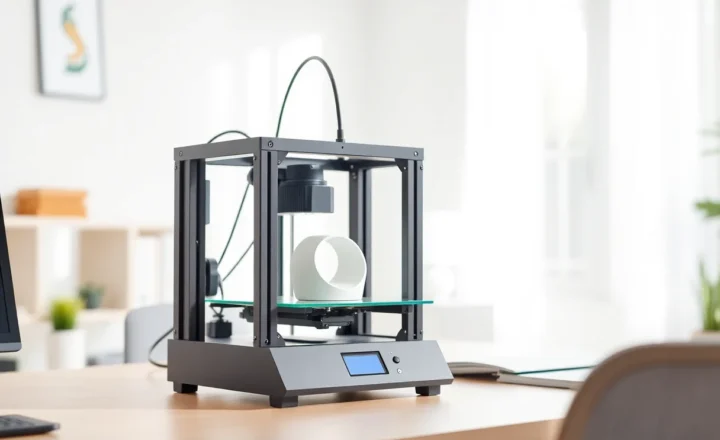
FDM, short for fused deposition modeling (also called FFF), works like a very precise hot glue gun. Plastic filament is pushed into a heated nozzle, melted and laid down in lines on a heated bed. The printer traces the outline and infill of each layer, then moves up and does the next. Print time depends on how much plastic each layer needs, so a plate full of parts takes much longer than a single part.
That difference in how layers form explains most of what follows. Resin resolution is set by the size of the LCD’s pixels and the layer height. FDM resolution is limited by the width of the extruded line, which comes from nozzle diameter, usually 0.4 mm.
Layer lines and fine detail: miniatures, jewelry and functional parts
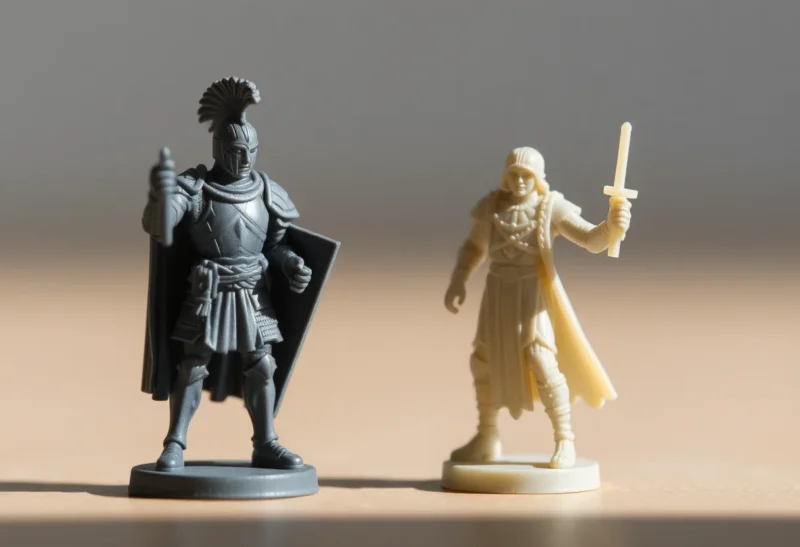
Resin’s advantage is detail. Current consumer resin printers have very small pixels: Elegoo lists 14 x 19 micron XY resolution for the Saturn 4 Ultra 16K and an 18 micron pixel size for the Mars 5 Ultra, while Anycubic lists 16.8 x 24.8 microns for the Photon Mono M7 Pro. Resin slicers commonly use layer heights of a few hundredths of a millimeter, with 0.05 mm a frequent default. Faces, chainmail, thin blades and sculpted cloth on a 32 mm tabletop miniature come out sharp, and layer lines are usually hard to see without magnification.
FDM layers on a standard 0.4 mm nozzle typically range from about 0.08 mm for fine profiles to 0.28 mm for draft profiles in common slicer presets. Every layer leaves a visible step, and features thinner than the nozzle’s line width either thicken or disappear. A filament printer can produce a respectable miniature with a fine nozzle and slow settings, but it will not match resin on a face or a tiny hand.
For jewelry, resin is the usual route for masters and prototypes, and castable resins exist for lost-wax casting as a specialty material.
Functional parts reverse the picture. Brackets, enclosures, tool holders, cable clips, replacement knobs and anything larger than a resin printer’s vat are FDM territory. Build volumes show why: Elegoo lists the Mars 5 Ultra at 153.36 x 77.76 x 165 mm and the larger Saturn 4 Ultra 16K at 211.68 x 118.37 x 220 mm, while even Bambu Lab’s compact A1 mini offers 180 x 180 x 180 mm, and mid-size filament printers commonly offer about 256 mm cubed.
Strength, brittleness and how parts fail
Standard resin parts are hard and stiff but brittle. Guides from All3DP and others note that standard and many ABS-like resins tend to crack or snap on impact rather than bend, and thin features such as sword blades or spears on miniatures can break off when dropped. Resin manufacturers sell tough, flexible and ABS-like formulas to close the gap, and published tests suggest tough resins can approach common filament plastics on impact, but results vary widely with test methods. Check the manufacturer’s technical datasheet for the specific resin if a part will take load.
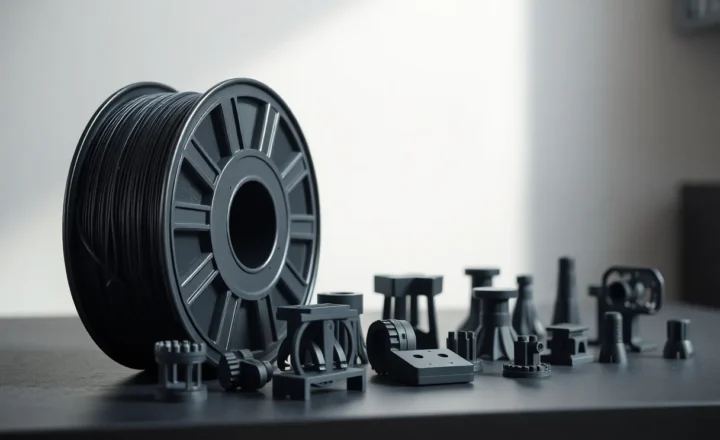
FDM parts behave differently. They are usually weakest between layers, so a part can split along a layer line if it is loaded in the wrong direction, but common filaments flex before they fail. PETG, ABS, ASA and nylon are all used for parts that clip, bend or take knocks. If you want to understand how the everyday filaments compare, our guide to PETG vs PLA strength and heat resistance covers the trade-offs in detail.
Heat and sunlight matter too. Most standard resins are not formulated for outdoor service, and resin printers are too small for many outdoor fixtures anyway, so outdoor parts are usually printed in filament, and even there the choice of plastic matters. For parts that live outside, our article on why ASA outlasts PETG and PLA in the sun explains which filaments hold up.

What happens after the print finishes
The workflow is where most people discover whether resin suits them. An FDM print is usually done when it comes off the bed: you flex the plate, pop the part off, and remove any supports. If something goes wrong, it is usually at the very start, and guides like ours on fixing a first layer that will not stick cover most of it.
A resin print comes off the plate coated in liquid resin, and finishing it involves several steps:
- Remove the part. You scrape it from the build plate with gloves on, catching drips.
- Wash it. Standard resins are cleaned in isopropyl alcohol (IPA) or a dedicated resin cleaner, often in two baths or a wash station, to remove uncured resin from the surface and from recesses.
- Remove supports. Resin parts almost always need a forest of thin supports, because the part hangs upside down and each layer is peeled from the film. Supports are easiest to remove before final curing, and they leave small marks that may need sanding.
- Cure it. The washed part is exposed to UV light, in a curing station or sunlight, to finish hardening. Under-cured parts can stay tacky, and over-curing can make them more brittle.
- Clean up. Tools, paper towels, gloves and the wash liquid all carry uncured resin and need handling as described below.
Hollow models need drain holes, or uncured resin trapped inside can leak or crack the part later. Resin slicers such as Chitubox and Lychee handle hollowing, drain holes and support placement.
IPA, water-washable resin and the release film
Water-washable resins let you rinse prints in tap water instead of alcohol, which avoids buying, storing and handling large amounts of flammable IPA. The catch is that the rinse water now contains uncured resin. Anycubic’s and Elegoo’s own product pages say this wash water must not be poured down a sink or into a sewer. Their instruction is to leave it in sunlight, or under UV light, until the resin in it has fully cured, then dispose of the solids as plastic waste. Water-washable formulas still carry their own hazard statements on their SDS, so they need the same gloves and care as standard resin. Used IPA is commonly handled the same way, letting the dissolved resin cure out under UV before you follow local rules for disposing of the liquid; your local waste authority is the final word.
The release film on the bottom of the vat, usually FEP, nFEP or ACF, is a consumable. It can be punctured by a stray cured fleck or worn out by repeated peeling. Anycubic’s wiki gives rough service lives of about 10,000 layers for FEP and about 30,000 layers for nFEP and ACF films, while noting that undamaged film can stay in use even after the printer’s counter flags it. A damaged film can leak resin onto the LCD, so check it before each print. The LCD screen itself is also a wear part on MSLA printers and eventually needs replacing.
Resin safety: gloves, ventilation and skin sensitization
Liquid photopolymer resin is a chemical irritant and a skin sensitizer. Elegoo’s safety data sheet for its standard photopolymer resin, for example, lists hazard statement H317, “may cause an allergic skin reaction,” along with skin and eye irritation. Sensitization is the key risk: repeated skin contact can lead to an allergic reaction that worsens with further exposure, and once you are sensitized, even small contact can trigger it.
Formlabs’ resin care guidance recommends chemical-resistant gloves such as nitrile or neoprene, not latex, when handling liquid resin, printer parts that have touched it and uncured prints. If resin gets on your skin, Formlabs says to wash with soap and water and not to use alcohol, hand sanitizer or other solvents on your skin. Safety data sheets for consumer resins commonly call for use in a well-ventilated area, and eye protection is sensible when pouring resin or handling IPA.
A short practical note: keep your resin setup out of kitchens, bedrooms and spaces children or pets use. Wear nitrile gloves and safety glasses, ventilate the room, keep IPA away from flames and heat sources, and read the SDS for the exact resin you buy, since hazards differ between formulas. See our safety disclaimer for the limits of this guidance.
Filament printing is not fume-free either. PLA prints with little odor, but ABS and ASA give off a noticeable smell and emissions, which is why they are better printed in an enclosure in a room you can ventilate. The difference is that FDM’s main hazards are hot parts and fumes from certain materials, while resin adds a liquid chemical you handle directly at every step.

Running costs: resin per kilogram versus filament per kilogram
Price per kilogram is closer than many people expect. Bambu Lab’s US store lists PLA Basic at about $20 for a 1 kg refill and about $23 with a reusable spool, and third-party resellers sell it for a little less. Elegoo’s US store has listed its 1 kg standard resin at about $19 to $24, and Anycubic’s US store lists its standard resin around $24 per kilogram, with lower per-kilogram prices on bulk packs. Specialty materials cost more in both worlds: engineering filaments, tough resins, castable resins and water-washable formulas are typically priced above the basic grades.
The real cost difference is in what surrounds the material:
- Resin consumables: nitrile gloves, paper towels, IPA or another cleaner, replacement release film and, eventually, a replacement LCD screen. Supports and failed prints also consume resin, and liquid left in the vat has a shelf life.
- Resin accessories: many owners add a wash and cure station, and some add an air purifier or ventilation fan.
- Filament consumables: nozzles, the occasional build plate and a dryer if you print moisture-sensitive materials. Support material and purge waste from multicolor printing add to filament use.
For a small miniature, material cost per part is low either way. For large functional parts, filament usually works out cheaper, since FDM parts can use sparse infill.
Space, smell and day-to-day living with each printer
An FDM printer needs a sturdy table, a power outlet and, for ABS or ASA, a room with some airflow. A resin setup needs more: the printer, a wash station or containers, a curing light, storage for resin bottles away from sunlight, gloves and paper towels within reach, and a surface you do not mind getting sticky. Many resin hobbyists use a garage, a dedicated workshop or a ventilated spare room for that reason, and some resin printers also need a warm room, since cold resin prints poorly. Elegoo, for example, lists a built-in vat heater on the Saturn 4 Ultra 16K.
Resin smell varies by formula, and some are marketed as low odor, but most people notice it, along with the smell of IPA.
Current printers that represent each approach
To make the comparison concrete, these are examples of printers currently sold in each category, not ranked picks:
- Elegoo Mars 5 Ultra: a compact 9K MSLA printer with a 153.36 x 77.76 x 165 mm build volume, aimed at miniatures and small models.
- Elegoo Saturn 4 Ultra 16K: a larger 10-inch 16K MSLA printer with a vat heater and tilt release, per Elegoo’s product page.
- Anycubic Photon Mono M7 Pro: a 14K MSLA printer with a 223 x 126 x 230 mm build volume.
- Bambu Lab A1 mini: a compact open-frame FDM printer with a 180 x 180 x 180 mm build volume and optional multicolor via the AMS lite.
Matching the technology to what you make
If most of what you want to print is tabletop miniatures, busts, detailed figurines or jewelry masters, resin delivers detail a filament printer cannot match, and the workflow is the price you pay for it. Plan for a dedicated space, gloves, ventilation and a cleanup routine before the printer arrives.
If you want to print practical objects, replacement parts, organizers, prototypes, cosplay pieces or anything large, a filament printer is simpler to live with, cheaper to run on big parts and more forgiving in a shared home. It will also print miniatures, just with visible layer lines.
Plenty of hobbyists eventually own one of each. If you are starting with one, choose for the objects you will print most often.